go_on_hold_message_music_recordings

Memory Upgrade Installation


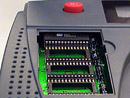
Installing Memory Upgrade for the GO-5000 or GO-5500


Follow these 3 simple installation steps and you will have more recording capacity in your GO-5000 or GO-5500 in no time.


Step 1:

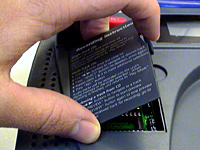
Life the CD player lid, then open the memory expansion lid.
?

Step 2:

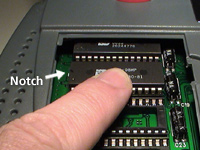
Insert the chip with the notch facing the left side of the unit.
 

?

Step 3:

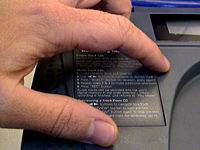
Replace the memory bay door and close the CD player lid.
 

Questions?

Please Type Below or Call Us 1-800-963-6968


Listen to Voice Samples

To see all samples, click & drag the up/down arrow located to the right of Voice - Female 1 inside the player below.

Listen to Music Samples

To see all samples, click & drag the up/down arrow located to the right of Soft Jazz 1 inside the player below.

GO On Hold on Twitter

© Copyright 2010 GO Productions/GO On Hold.  All Rights Reserved.